How To Automate Appointment Scheduling In Your Practice With AI
Missed calls, double bookings, and admin overload are usually signs your scheduling process has hit a ceiling. Here’s a practical framework to automate appointment booking with AI, reduce no‑shows, and keep your calendar under control without adding headcount.

How To Automate Appointment Scheduling In Your Practice With AI
If your team spends hours each week just handling calls and shuffling appointments, your scheduling process is holding the business back. An AI receptionist can take over that work, keep your calendar accurate, and be available 24/7.
This guide walks through how practices in healthcare, legal, real estate, salons, and home services use Orateur to automate their appointment scheduling.
What AI Scheduling Actually Does (Beyond A Web Form)
A basic booking form only helps clients who are on your website and willing to click around.
An AI receptionist like Orateur answers calls, understands intent, and books directly into your calendar. It can:
- Greet callers and identify why they’re calling
- Offer relevant services and time slots
- Confirm or reschedule existing bookings
- Send confirmations and reminders
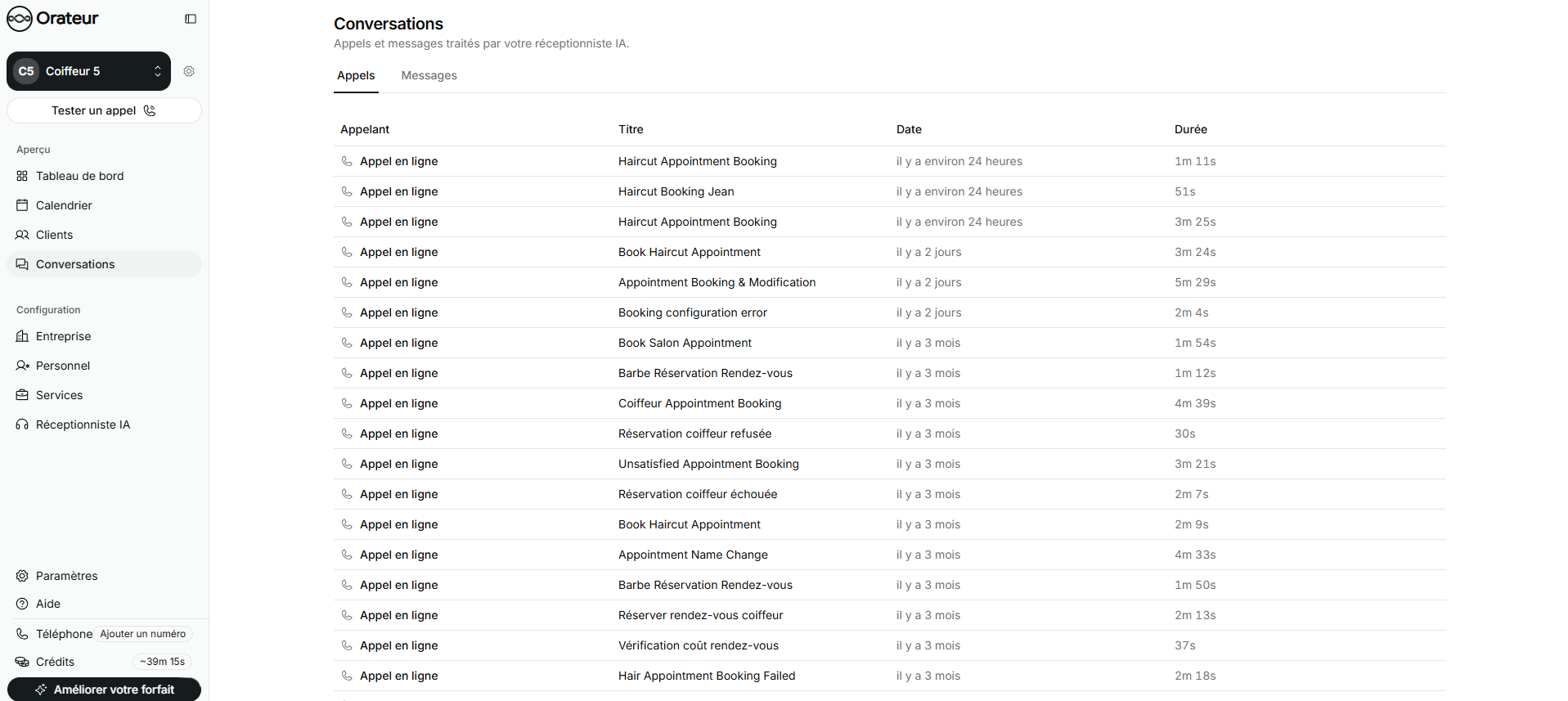
Because it runs 24/7, you stop losing after-hours calls and lunchtime peaks.
Designing The Rules: Availability, Services, And Constraints
AI scheduling only works if it respects the same rules your staff follows. With Orateur, you configure:
- Availability blocks: clinic hours, lawyer office days, on-site visit slots
- Service types: e.g. 30-min new patient consult, 1h color & cut, 15-min triage call
- Constraints: prep time, room resources, provider-specific rules
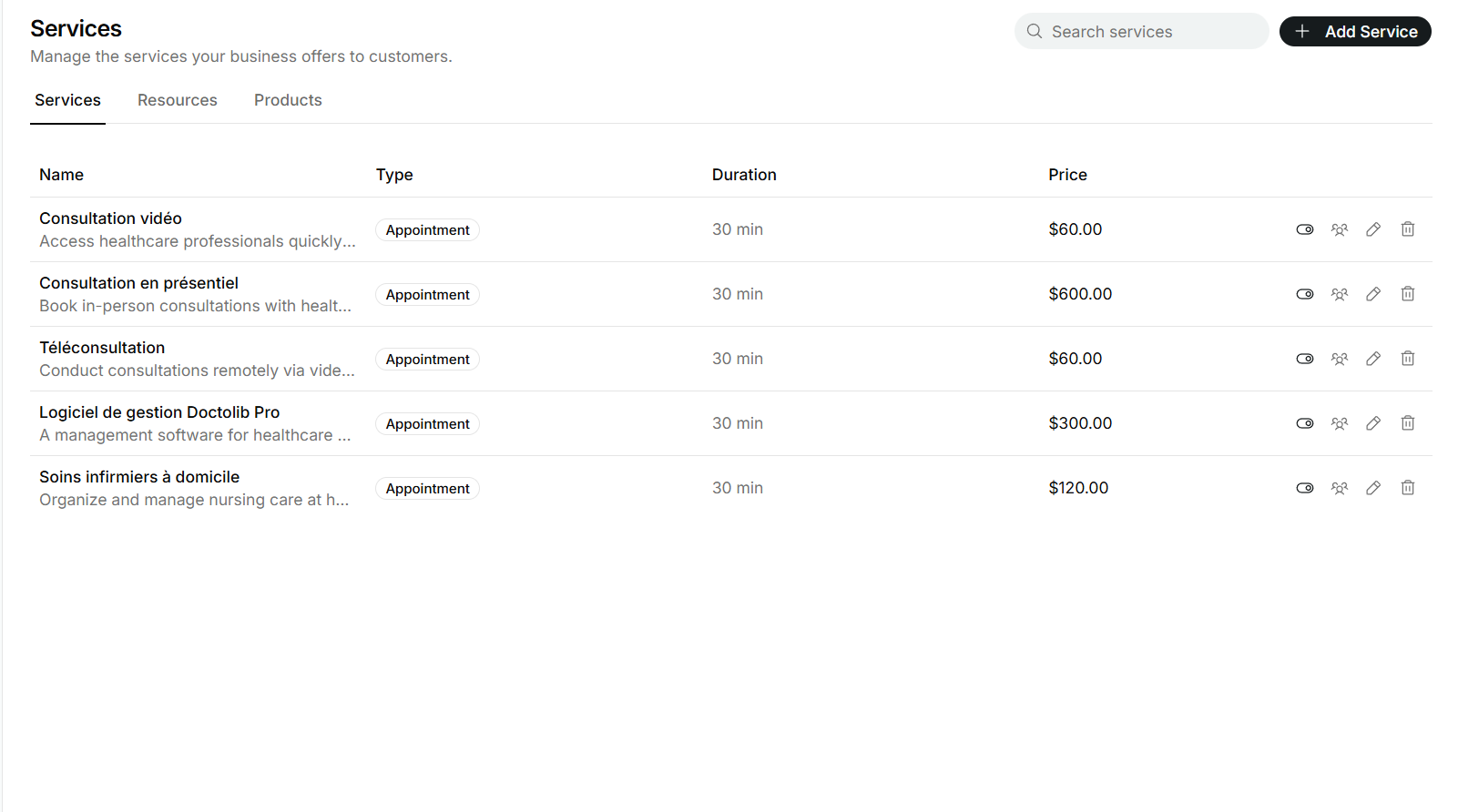
For example, a dental practice might block hygienist-only slots in the morning and doctor-required treatments in the afternoon. A home services company can prevent two technicians from being booked to opposite sides of town back-to-back.
Connecting AI To Your Calendar And Tools
To avoid double bookings, your AI must read and write to a single source of truth for availability.
With Orateur, that usually means:
- Connecting your existing calendar (Google, Microsoft, or an internal tool)
- Mapping services to calendar event types
- Turning on two-way sync so changes from staff are reflected instantly
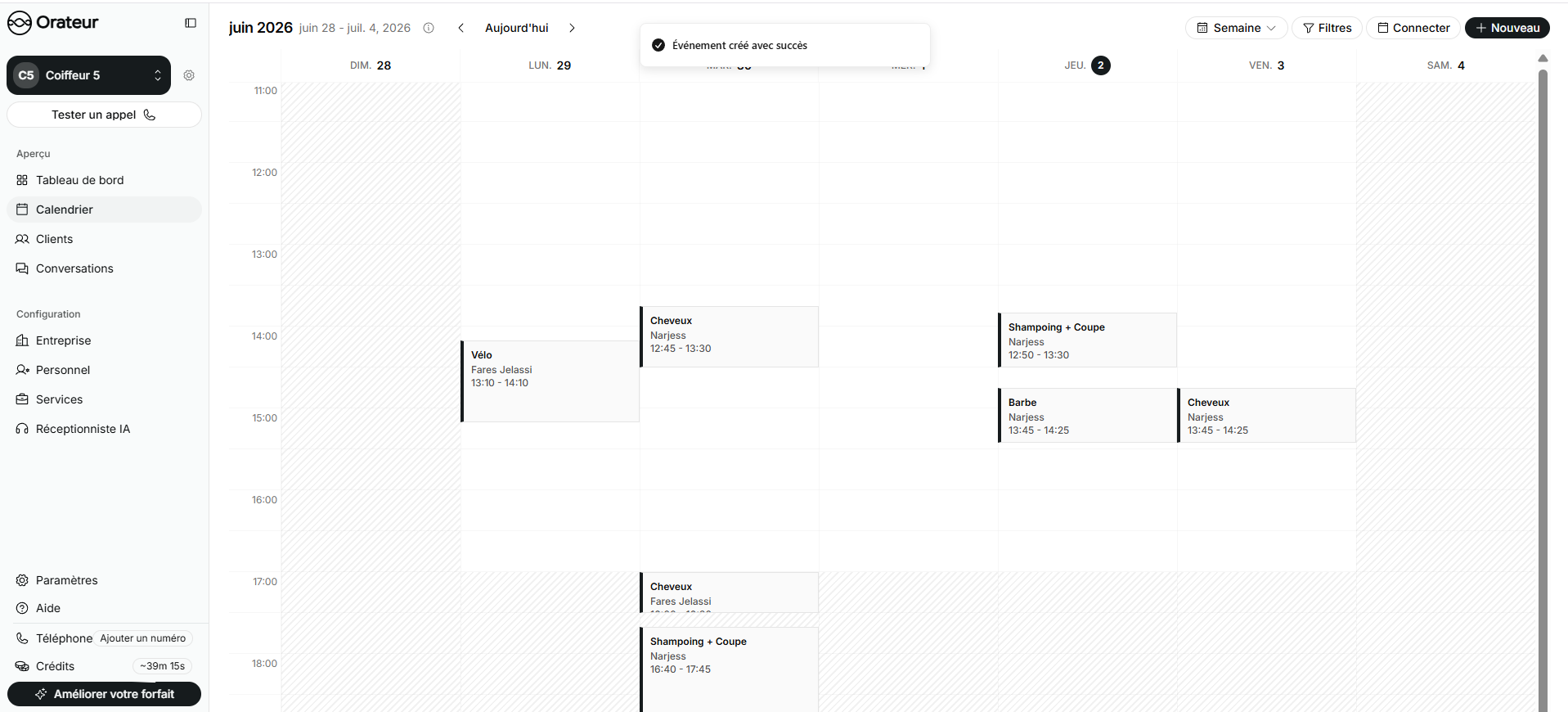
From there, appointments taken over the phone, your website, or follow-up calls all land in the same calendar.
Reducing No-Shows With Automated Follow-Up
Once scheduling is automated, the next win is fewer empty slots.
Orateur can:
- Send SMS or email confirmations the moment an appointment is booked
- Trigger reminders at set intervals (24 hours before, 2 hours before, etc.)
- Offer self-service rescheduling instead of silent no-shows
Healthcare and legal clients often report fewer missed appointments after enabling reminders and easy rescheduling. You keep calendars full without staff chasing people manually.
Measuring Impact: What To Track
AI scheduling should show up clearly in your numbers. In Orateur’s stats, practices typically monitor:
- Call answer rate and after-hours coverage
- Appointments booked per day (and per channel)
- No-show and cancellation rates
- Time saved for front-desk staff
If you want a detailed breakdown by industry, explore our use cases for healthcare, legal, real estate, salon & spa, and home services.
Ready to see how this fits your practice? Compare plans on our pricing page and match them to your call volume and growth targets.